
Cybersecurity Threats and How To Protect Yourself Online
Cybersecurity threats are becoming more common and sophisticated in today’s digital age. Whether it’s a phishing scam or a ransomware attack, it’s critical to take precautions online. In this blog post, we will look at some of the most common cybersecurity threats and offer advice on how to avoid them.
Phishing Scams
Phishing scams are one of the most common cybersecurity threats, and they’re getting smarter all the time. In a phishing scam, a criminal impersonates a reputable organization or individual in order to obtain sensitive information, such as login credentials or financial information.
To avoid being a victim of a phishing scam, be wary of emails or messages that request sensitive information. Always verify the sender of the message and ensure that it is from a reputable organization. Furthermore, never click on links or download attachments from unknown senders.
Ransomware Attacks
Criminals encrypt your files and demand payment to unlock them in ransomware attacks. These attacks can be devastating, especially if proper backups are not in place.
To protect yourself from ransomware attacks, back up your files on a regular basis to an external hard drive or a cloud storage service. Additionally, you should keep your software and antivirus programs up to date to avoid vulnerabilities that cybercriminals could exploit.
Social Engineering Attacks
Criminals use social engineering to trick you into providing sensitive information or performing an action that could lead to a security breach. These attacks can take a variety of forms, such as a phone call or a bogus technical support request.
To protect yourself from social engineering attacks, it’s important to be cautious of unsolicited phone calls or requests for sensitive information. Before providing any information or performing any action, you should always confirm the identity of the person or organization.
Malware
Malware is any software that is intended to harm or steal data from your computer. Malware can take many different forms, including viruses, trojans, and spyware.
To protect yourself from malware, keep your software and antivirus programs up to date in order to avoid vulnerabilities that cybercriminals could exploit. You should also be cautious when downloading software or files from unknown sources.
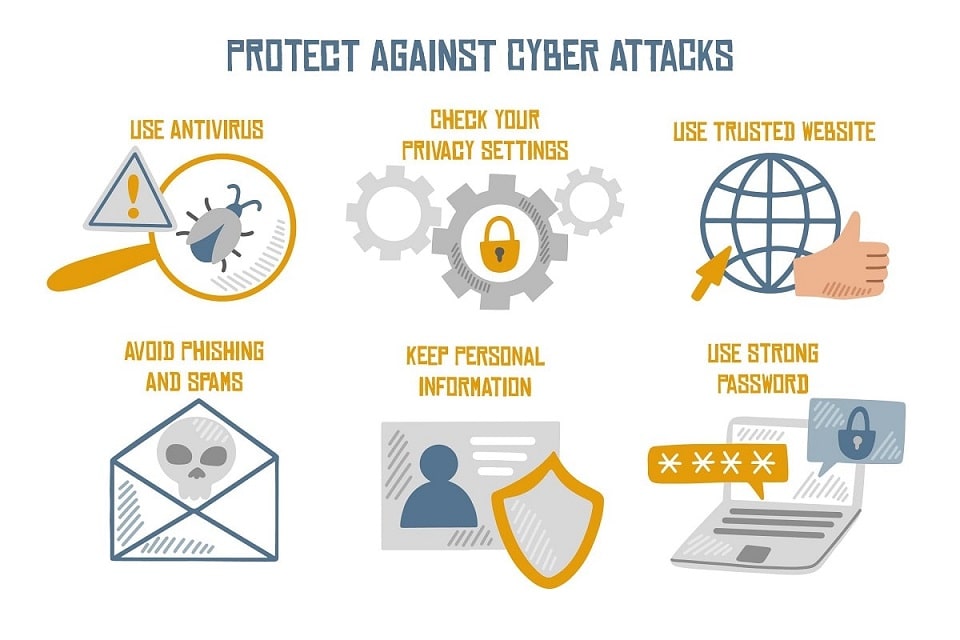
In addition to the specific tips listed above, there are also some general steps you can take to protect yourself online:
1. Use Strong Passwords
One of the simplest and most effective ways to protect yourself online is to use strong passwords. A good password should be at least 12 characters long and contain a mix of uppercase and lowercase letters, numbers, and special characters.
2. Use Two-Factor Authentication
By requiring a second form of identification in addition to a password, two-factor authentication adds an extra layer of security. A code sent to your phone or a biometric scan, such as a fingerprint, can be used.
3. Keep Your Software Up to Date
Keeping your software and antivirus programs up to date is critical for preventing vulnerabilities that cybercriminals could exploit.
4. Use a Virtual Private Network (VPN)
A VPN encrypts your internet connection and conceals your IP address, adding an additional layer of security and privacy.
5. Be Cautious of Public Wi-Fi
Public Wi-Fi networks are frequently unsecured, making them vulnerable to cybercriminals. It is critical to exercise caution when using public Wi-Fi for sensitive activities such as online banking or shopping.
Conclusion
Cybersecurity threats are becoming more prevalent and sophisticated. However, by following these guidelines and being wary of suspicious activity, you can significantly reduce your chances of a security breach. Keep your software and antivirus programs up to date at all times, use strong passwords, and be wary of unsolicited messages or requests for sensitive information.